



What is a Gantt chart?
A Gantt chart is a project management tool that provides a visual representation of a project’s schedule by showing the duration of individual tasks, their order, and their dependencies.
It is based on bars representing tasks on a timeline, which allows for a clear presentation of durations, key dates, and dependencies between individual activities. Using a Gantt chart, you can quickly identify critical tasks and anticipate potential delays, which helps optimize resources and ensure efficient team coordination.
What are Gantt charts used for?
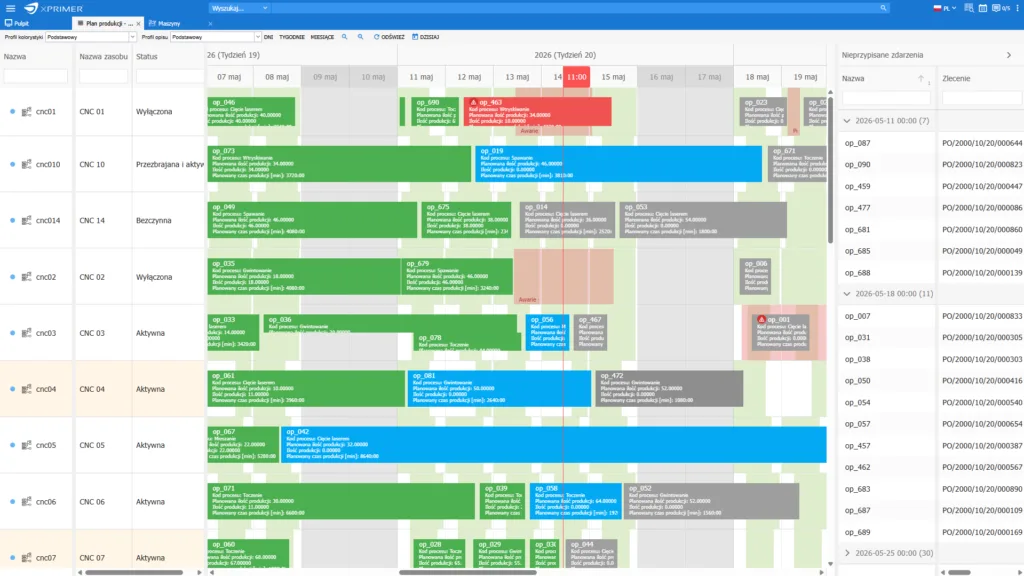
A functional Gantt chart is a project management tool that enables precise task planning, monitoring, and optimization of each stage of the production process.
Thanks to the graphical representation of the activity schedule on a timeline, production managers and operational teams gain a clear overview of the sequence of activities, the dependencies between individual tasks, their durations, and key critical points in project execution. This approach translates into more effective management of production cycles and faster achievement of target deadlines.
For production teams, using Gantt charts means being able to identify so-called critical paths—key sequences of activities whose completion within a specified timeframe determines the completion date of the entire production project. This tool also enables the analysis of interdependencies between tasks, which is particularly important in highly complex projects where a delay in one stage can quickly affect the schedule of subsequent activities.
By continuously monitoring progress using the Gantt method, production teams can quickly respond to any deviations from the plan, thereby avoiding delays that could result in missed deadlines or inefficient use of resources. In a manufacturing environment where time and precision are critical, the Gantt chart serves as an invaluable tool that supports the synchronization of activities, minimizes unnecessary downtime, and optimizes the entire production process.
Errors when creating a Gantt chart
There are many methods for creating Gantt charts, but it’s important to remember that creating a Gantt chart is a process that requires precise planning and a thorough understanding of the project’s specifics. However, even experienced professionals can make mistakes that affect the effectiveness of planning and project execution. Below, we discuss the most common mistakes made when creating a Gantt chart and their consequences.
Inaccurate estimates of task durations
Incorrect time estimates lead to scheduling conflicts and resource overload. Overly optimistic estimates can result in time pressure, while overly pessimistic estimates can lead to a waste of resources.
Omitting dependencies between tasks
Ignoring dependencies between tasks can lead to situations where resources are allocated in the wrong order, which delays project completion. It is important to carefully identify “finish-to-start” or “start-to-start” dependencies to prevent downtime or the need to reallocate resources between tasks.
Failure to account for a time buffer
In complex projects, the lack of a time buffer becomes risky. A buffer allows for a flexible response to delays and changes without affecting the final completion date. Creating Gantt charts without buffers often leads to schedule slippage when unforeseen problems arise.
Too many detailed tasks on the Gantt chart
Overloading a Gantt chart with overly detailed tasks makes it difficult to manage and monitor. Such a chart is less readable and can lead to what is known as information overload. A better approach is to group tasks into larger blocks or phases.
The chart is not updating in real time
A Gantt chart requires regular updates based on actual progress. A lack of ongoing monitoring and adjustments can lead to situations where the schedule no longer reflects the project’s actual status, which hinders management and creates chaos. Regular reviews and updates are essential for maintaining control over the project.
Lack of a clear division of responsibilities
Uncertainty regarding responsibility for specific tasks makes it difficult to identify the causes of potential delays and creates the risk that actions will be neglected. Each task should have a designated person in charge, which allows for a faster response to problems and more effective adherence to the schedule.

Gantt chart – ignoring risk analyses
Failing to assess risks and their impact on the schedule is another significant mistake. Potential risks must be identified, and appropriate contingency plans must be prepared. Many projects encounter unexpected obstacles, and the lack of a strategy to address risks leads to the need for reorganization and delays.
The chart is not tailored to the stakeholders
A Gantt chart should be a tool that is understandable not only to the project team but also to stakeholders. A presentation that is too technical or overly simplified can lead to misunderstandings and inconsistent expectations. Adjusting the level of detail and the format of the presentation are key elements of effective communication.
Gantt chart – lack of tool support
Attempting to create and manage a Gantt chart without the right tools, especially for complex projects, can lead to errors and difficulties in updating the schedule. Using the right tools automates many processes and makes it easier to manage complex dependencies and resource allocation. An advanced Gantt chart allows you to manage multi-level dependencies between tasks, which results in precise synchronization of activities and better resource allocation within the project.
The Gantt chart feature in the XPRIMER system
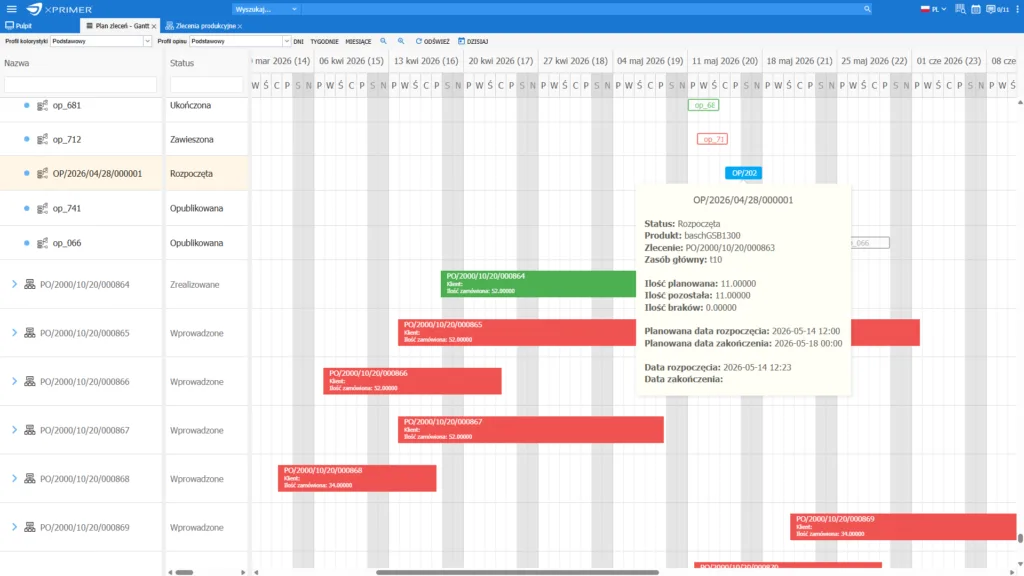
In the XPRIMER system, the Gantt chart feature provides a tool for planning, monitoring, and adjusting production and work schedules. With this feature, users can adapt plans to changing production conditions and resource availability, which helps avoid downtime and minimize the impact of unforeseen events.
New features for editing and managing tasks on the Gantt chart include functions such as dragging tasks along the timeline and assigning resources, which significantly simplifies the reorganization of work without having to create schedules from scratch. Clear visualization of work phases and status indicators for individual tasks enable better monitoring of progress, providing insight into team performance and the efficient use of resources.
The Gantt chart in the XPRIMER system offers schedule management capabilities and the ability to quickly reassign responsibilities. With this feature, you can directly modify the order of tasks and dynamically change the assignee within the Gantt chart itself, ensuring greater flexibility in resource allocation and adapting the schedule to the project’s current needs.
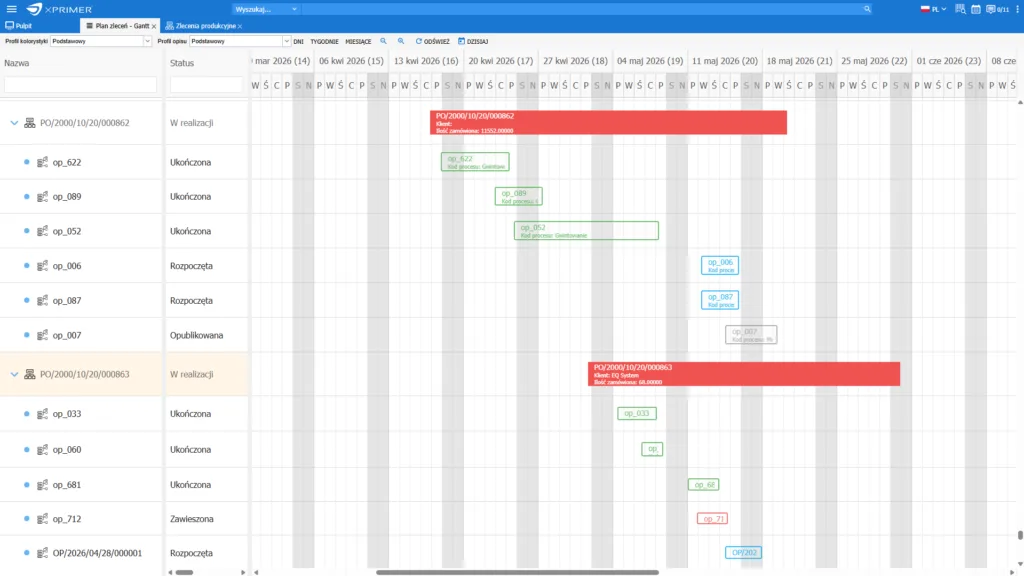
The Gantt chart in the XPRIMER system enables advanced management of multi-resource tasks, which is particularly important in environments with highly dynamic projects, where a single task requires the collaboration of multiple resources – both human and equipment. When a single task is assigned to multiple resources, any change to that task’s schedule (e.g., rescheduling using the “drag-and-drop” function) is immediately updated for all associated resources, eliminating the risk of schedule inconsistencies.
Thanks to this functionality, it is possible to avoid problems resulting from schedule mismatches between team members and technical resources, ensuring full synchronization of task execution within the team.
The Gantt chart feature in XPRIMER is a comprehensive tool that supports modern production and work management, enabling better resource utilization, reduced operating costs, and more effective achievement of production goals.
As a result, organizations can minimize problems arising from resource mismatches, optimize team workloads, and improve coordination between different departments – which is crucial in environments with high production variability.

Gantt chart in ASPROVA APS – detailed production scheduling
In ASPROVA APS, the Gantt chart is more than a visual presentation of the production plan. It provides an interactive workspace for production planners, displaying a detailed schedule of operations on a timeline together with their assignment to machines and other resources. Users can see the sequence of processes, planned start and finish times, dependencies between operations and the workload of individual resources. The schedule can be displayed with a level of precision ranging from days and shifts to hours, minutes or even seconds.
ASPROVA APS allows planners to switch between the Gantt chart, tables and the order relationship network. This makes it possible to trace time- and quantity-related dependencies between a customer order, production orders and the subsequent stages of order fulfilment. The schedule view also helps identify delays, material shortages, overloaded resources and future bottlenecks.
Operations can be moved directly on the chart using drag-and-drop functionality. Any changes are immediately reflected in the system’s other views, including scheduled dates, operation times and projected inventory levels. The planner can instantly assess whether a manual adjustment could cause an order delay, material shortage, excess inventory or resource overload.
As a result, the Gantt chart becomes a tool for analysing the consequences of planning decisions rather than a static visualisation of a completed production plan.
Advantages of using a Gantt chart
The Gantt chart is a key tool in production project management, providing a strategic overview of the schedule and enabling the precise identification of potential bottlenecks as early as the planning stage. This makes it possible to effectively minimize the risk of delays and optimize key processes before they are implemented, ensuring schedule stability.
One of the main advantages of a Gantt chart is its ability to accurately map resources and optimally plan and monitor the workload of both the team and the infrastructure. Thanks to the ability to precisely assign tasks, this tool enables effective resource allocation, which significantly increases operational efficiency. Furthermore, its graphical structure serves as a common point of reference, eliminating misunderstandings by clearly defining responsibilities and task sequences.
It is also worth highlighting the Gantt method’s documentation function, which supports retrospective analysis. Each stage of the project is transparent and easy to track, which allows for drawing conclusions and improving processes for future projects. By archiving Gantt charts, companies gain the ability to compare actual progress with the plan, which supports continuous improvement and operational optimization.
Project Schedule vs. Gantt Chart
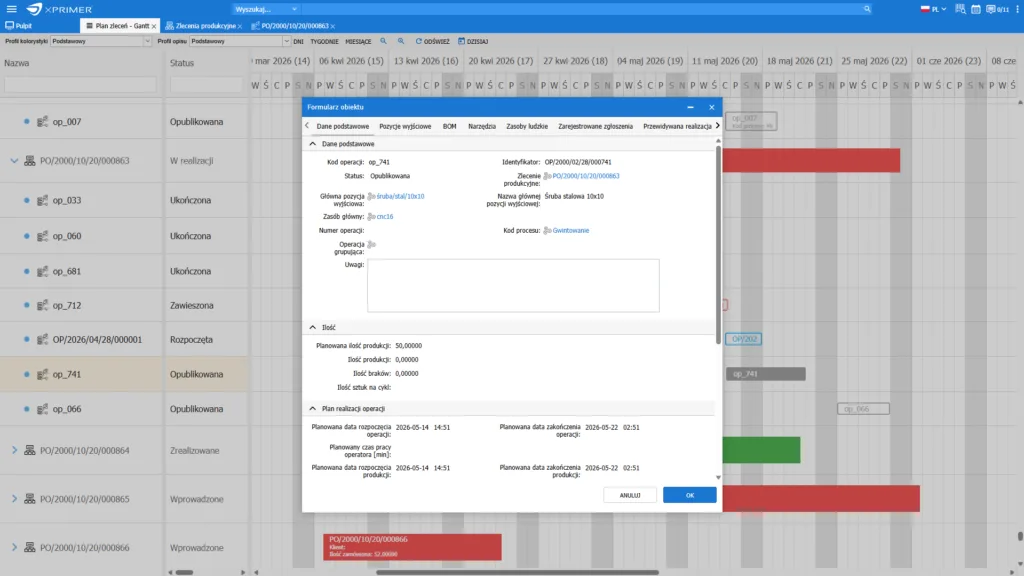
The Gantt chart is a fundamental tool in advanced project management, enabling precise planning and dynamic schedule management in the context of complex projects. As a strategic document, the project schedule defines key tasks, resources, milestones, and interdependencies, serving as the foundation for managing time, costs, and resources.
By presenting the schedule in graphical form, the Gantt chart allows for an intuitive visualization of the temporal relationships between tasks, as well as the identification of critical paths and bottlenecks, enabling project managers to forecast and plan accurately.
The use of Gantt charts in industries with highly complex projects—such as construction, engineering, IT, and manufacturing—stems from their ability to detail the schedule, taking into account specific phases, resource allocations, and deadlines.
This tool not only enables visual tracking of individual tasks but, above all, allows for the rapid identification of deviations from project assumptions, which is crucial for maintaining schedule stability and managing risk.
Gantt chart features such as dynamic updates and multi-resource assignments allow for real-time adaptation of plans and support more efficient resource utilization. As a result, Gantt charts become not only a planning tool but also an operational one, supporting day-to-day management decisions and enabling the analysis of how changes affect critical paths and deadlines.
Gantt chart – historical
The origins of the Gantt chart method date back to the early 20th century, when engineer and consultant Henry L. Gantt developed this technique in response to the rapidly growing need for effective management of complex production processes.
During a period of rapid industrialization and the growing scale of manufacturing projects, traditional resource management methods, such as simple schedules or tables, were becoming inadequate. The number of projects carried out in parallel and the complexity of their interdependencies were increasing, which created risks of delays, resource allocation errors, and problems with performance monitoring.
Gantt designed a chart that transformed abstract production plans into a visually understandable diagram showing the duration, sequence, and interrelationships of tasks within a project. The innovation of the method lay in the introduction of a timeline and horizontal bars illustrating the start and end of each task, which gave managers a tool not only for monitoring progress on an ongoing basis but also for anticipating potential delays. This made it possible to instantly identify areas requiring intervention and analyze the impact of potential changes on other elements of the schedule.

Gantt charts – summary
In summary, Gantt charts are an advanced strategic project management tool that enables detailed planning and ongoing monitoring of schedules. Thanks to Gantt charts, project managers can precisely manage the sequence of tasks, identify critical paths, and anticipate and minimize potential bottlenecks, allowing them to dynamically adjust plans to current requirements and resources.
Gantt charts also serve as a key element of communication between departments and with stakeholders, providing a unified point of reference and ensuring consistency in actions. As a result, Gantt charts are the foundation of effective project management, enabling organizations to achieve project goals with maximum precision and operational flexibility.